Electron window-all-closed not firing? A hidden window is still open
Short answer: Electron's window-all-closed only fires once every BrowserWindow your app created has closed. A window made with show: false, or one you called hide() on, is still open, so it still counts. One hidden helper window (an audio player, a background worker, an overlay) means the event never fires and your app keeps running after its last visible window is gone. Close the helpers when the main window closes, or call app.quit() yourself from the main window's closed event. And app.quit() itself never triggers window-all-closed: it goes straight to will-quit.
I hit this in Qulok, my Windows app that hides everything except the windows you need, for focusing or for sharing your screen. Adding two little sounds broke quitting. Here's what happened, what Electron is waiting for, and two more things the same hidden window got wrong.
Two sounds, and why they got their own window
On 18 Sep I gave Qulok two sounds: a low blip when demo mode goes on, and a rising one when everything comes back. Both are CC0 clips from Kenney's Interface Sounds pack.
Where to play them was the interesting part. Qulok's main process is Node, and it has nothing to play an .ogg file with. The launcher window could play them, but demo mode can start from the tray icon or a global shortcut while the launcher is closed or hidden. So the sounds got a window of their own: one pixel, never shown, never in the taskbar, never focusable, and loaded with a page that only plays audio.
soundWin = new BrowserWindow({
  width: 1, height: 1, show: false, skipTaskbar: true, focusable: false, frame: false,
  webPreferences: {
    preload: path.join(__dirname, 'preload.js'),
    contextIsolation: true, nodeIntegration: false,
    backgroundThrottling: false,
  },
});
soundWin.loadURL('app://ui/sound.html');
The main process sends it sound:play with hide or reveal, and the page plays the clip. It's created at startup and lives as long as the app does. Which was exactly the problem.
What broke: closing Qulok stopped quitting it
With the sound window in, closing the launcher left Qulok running. No window on screen, the tray icon still sitting there, the process still alive.
The quit code hadn't changed. Qulok has had the usual handler since its first commit:
app.on('window-all-closed', () => { if (!active) app.quit(); });(active is the state of a session that's switched on.) The handler was fine. It just never ran.
What window-all-closed is waiting for
Electron's docs describe the event in one line: "Emitted when all windows have been closed" (Electron). All windows means all of them, visible or not. BrowserWindow.getAllWindows() returns "all opened browser windows" (Electron), and a window that was never shown is still open. hide() "Hides the window". It doesn't close it.
Before 18 Sep Qulok had one window, the launcher. Close it, the count hits zero, window-all-closed fires, Qulok quits. After, it had two. Close the launcher and the count drops to one: a page nobody can see, waiting for a message. The event never fires.
Things that count as a window for this, from Qulok alone:
- A hidden helper like the sound window, created with
show: false. - Overlays. Qulok's Restore pill, timer readout and Break panel are each a window of their own, open for as long as a session is on.
- A window you hid instead of closing, such as a launcher sent to the tray.
Things that don't: the Tray icon and global shortcuts aren't windows. Your window-all-closed handler (or Electron's default of quitting, if you have none) is what decides.
The fix: the launcher decides when Qulok ends
There were two clean ways out.
- Close the helper too. In the launcher's
closedevent, close the sound window, the count reaches zero andwindow-all-closeddoes its job as before. - Quit explicitly. In the launcher's
closedevent, callapp.quit().
I went with the second, because it says what I mean: the launcher is the app's lifetime. The first only holds until the next hidden window arrives and nobody adds it to the list, and Qulok now creates windows in seven places in its main process.
Qulok has one wrinkle. While Lock in or Demo mode is on, your other windows are minimised and your desktop is hidden, and closing the launcher must not quit, or the session ends behind your back. So closing it with a session on only hides it to the tray, and closing it with nothing on quits:
win.on('close', (e) => { if (active) { e.preventDefault(); win.hide(); } });
// The hidden sound window keeps window-all-closed from ever firing, so the
// launcher closing is what ends the app when nothing is on.
win.on('closed', () => { win = null; if (!active) app.quit(); });
Calling event.preventDefault() in close "will cancel the close" (Electron), which is what keeps the launcher alive and hidden mid session. The old window-all-closed handler stays as a backstop. The fix shipped in Qulok 0.2.1, in the same commit as the sounds.
What app.quit() does with the hidden window
The bit that makes the explicit quit safe: app.quit() will "Try to close all windows. The before-quit event will be emitted first." If they all close, will-quit follows and the app ends (Electron). So the sound window is closed for you on the way out. No need to track it.
The same docs answer a second "not firing" puzzle. If you call app.quit() (or someone presses Cmd+Q on a Mac), Electron closes the windows "and then emit the will-quit event, and in this case the window-all-closed event would not be emitted" (Electron). Any clean up you put in window-all-closed won't run on a normal quit. Put it in will-quit.
That's where Qulok's lives. If a session is still on when the app quits, will-quit puts your windows, desktop icons, taskbar and notifications back before the process ends. It's also why every normal way out of Qulok calls app.quit(), keeping app.exit() for its test and screenshot runs. Exit closes every window "immediately without asking the user, and the before-quit and will-quit events will not be emitted" (Electron). Qulok's updater needs those events too: electron-updater installs from the quit.
The macOS convention, and why Windows is different
Electron's own tutorial quits on window-all-closed everywhere except macOS:
app.on('window-all-closed', () => {
  if (process.platform !== 'darwin') app.quit()
})
The reason given: "On Windows and Linux, closing all windows will generally quit an application entirely", while "macOS apps generally continue running even without any windows open", and reopen a window from the activate event when the dock icon is clicked (Electron).
A hidden helper window turns a Windows app into a Mac style app by accident: still running, nothing on screen. On a Mac at least the dock tells you. On Windows, if you have no tray icon, the only sign is a process in Task Manager.
Qulok is Windows only, and it sits in between on purpose: it stays in the tray while a session is on, and quits when you close it with nothing on. Its tray menu has a Quit item that calls app.quit() as well.
How to find what's keeping your app alive
If your window-all-closed isn't firing, list what Electron thinks is still open at the moment you expect it to:
for (const w of BrowserWindow.getAllWindows()) {
  console.log(w.id, w.isVisible() ? 'visible' : 'hidden', w.getTitle(), w.webContents.getURL());
}
Give every helper page a real <title> and this tells you straight away. Qulok's sound page is titled "Qulok sounds" for that reason.
The same window had two more bugs
Qulok 0.2.1 shipped with the quit fixed and the sounds silent. Both reasons are worth knowing if you're making a hidden window of your own.
- The page's own Content Security Policy blocked its script. The sound page set
default-src 'self'and kept its player in an inline<script>. With noscript-src, the browser falls back todefault-src(MDN), and inline script needs'unsafe-inline', a nonce or a hash to run (MDN). So the listener never existed and everysound:playwent nowhere. A hidden window has no DevTools open and no one looking at its console, so nothing complained. 0.2.2 moved the script into its own file and logs the result of every play to Qulok's log file, so silence always has a reason. - Autoplay. A hidden window never gets a click, so 0.2.2 also sets
autoplayPolicy: 'no-user-gesture-required'on it. Electron's docs list that as the default (Electron), so the CSP was the one that mattered: with no listener, nothing could play. The setting stays because it says out loud what the window relies on.
And backgroundThrottling: false, which was there from the start, is worth setting on any hidden helper. By default Electron throttles "animations and timers when the page becomes background" (Electron), and a window that's never shown is about as background as a page gets.
What I'd tell anyone doing this
- A hidden window is an open window. Every helper you create holds
window-all-closedback until it closes. - Decide what your app's lifetime is tied to, and write it down in code. Quitting from the main window's
closedevent survives the next helper window. A list of helpers to close doesn't. - Put clean up in
will-quit. A normalapp.quit()skipswindow-all-closedentirely. - Quit with
app.quit()whenever anything has to run on the way out.app.exit()skipsbefore-quitandwill-quit. - Give helper pages a title and a log line. A window nobody sees fails silently otherwise.
Qulok today
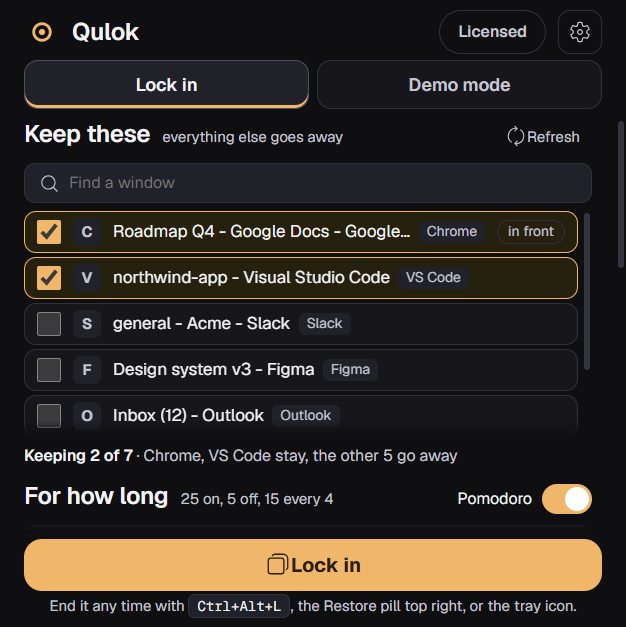
Qulok is a focus app for Windows. Tick the windows you need, press Lock in, and everything else is minimised, the desktop icons and taskbar go, and notifications are silenced until the timer ends or you say so. Demo mode does the same for presenting or sharing one window on a call, and the guide to hiding notifications, desktop icons and the taskbar covers what Windows can do on its own first. The sounds still play from that one pixel window, behind a Sounds switch in Settings, and closing the launcher with nothing on still quits.
There's also Qulok for iPhone, free on the App Store.
Where Qulok doesn't help
- It can't hide browser tabs. Windows can't see inside a browser window. Open the tabs you need in their own window and keep that one.
- It never closes or blocks anything. Windows are minimised and come back when the session ends.
- Windows only on the desktop. Windows 10 (version 2004 or later) and Windows 11, 64 bit. A Mac version is on a waitlist at the bottom of qulok.com.
- The installer isn't code signed yet, so SmartScreen warns once. Choose More info, then Run anyway. It's coming to the Microsoft Store.
It's $3 a month after a 7 day free trial, or $19 once for life. Both cover 2 of your own PCs. The trial takes your card at checkout and charges nothing for 7 days; cancel before then at qulok.com/manage with your licence key and you pay nothing.
What's the sneakiest thing that's kept one of your Electron apps alive after you closed it?
Sources
- Electron, app: the window-all-closed, before-quit and will-quit events, app.quit() and app.exit()
- Electron, BrowserWindow: getAllWindows(), hide(), the close and closed events
- Electron, WebPreferences: autoplayPolicy and backgroundThrottling
- Electron, Building your First App, for the macOS and Windows conventions
- MDN, Content-Security-Policy: script-src
- Qulok's changelog (0.2.1 and 0.2.2), its commits from 18 and 19 Sep 2026 (4436f14 and 70623d5), and the window code in its main process
- My build notes for Qulok, 18 Sep 2026